Bring vendor coordination out of the inbox
Onboarding documents, purchase order acknowledgements, invoice submission and payment status, handled in one place with expiry tracking and a complete audit trail.
- First module built in
- 4 to 6 weeks
- Document checklists
- Set per vendor category
- Expiry reminders
- Sent before a document lapses
What this addresses
Vendor management lives in email until it becomes unmanageable, with documents in every format and expiry dates in a spreadsheet nobody updates.
- Registration certificates, insurance and licences expire without anyone noticing
- Purchase orders are emailed with no reliable confirmation they were received
- Invoices arrive in different formats and are checked against orders by hand
- Vendors phone the accounts team repeatedly to ask about payment
- Nobody can quickly list which vendors are compliant and which are not
How it is put together
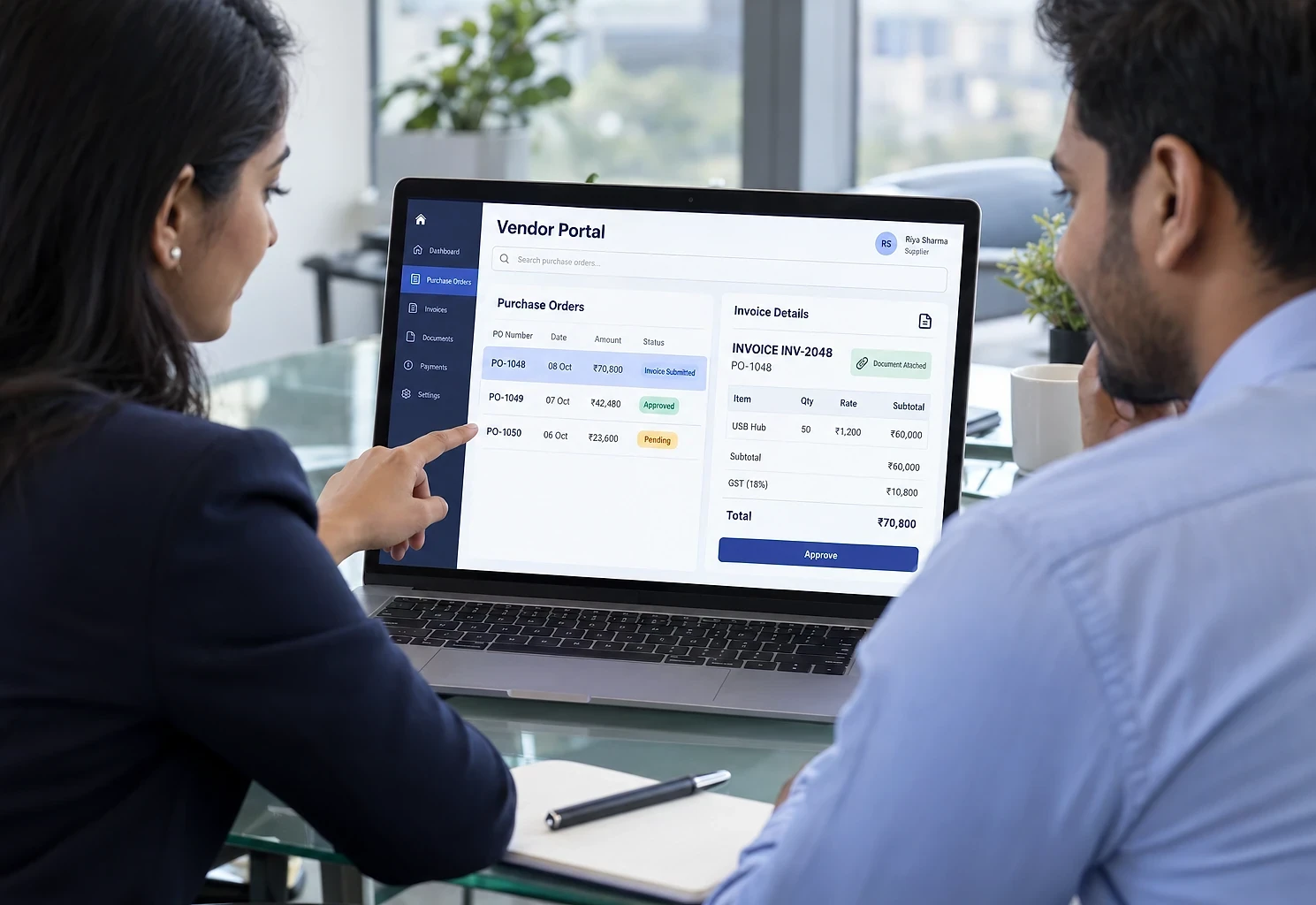
A vendor-facing portal where suppliers complete their own onboarding, upload documents against a defined checklist, acknowledge purchase orders, submit invoices with the required references and check their own payment status. On your side, an operations console shows compliance status across the vendor base, with automatic reminders before documents expire.
What the system contains
Modules are delivered in phases, starting with the one that removes the most work. You own the finished system, code and data included.
- 01
Vendor onboarding
A guided registration where the vendor enters their own details and uploads each required document against a checklist. Your team reviews and approves rather than chasing and typing.
- 02
Document and compliance tracking
Every document has an expiry date. The system reminds the vendor before it lapses and flags anyone non-compliant, so you see the position across all vendors at once.
- 03
Purchase orders and queries
Orders published to the portal with a recorded acknowledgement, agreed delivery dates and a message thread per order, replacing emailed PDFs and follow-up calls.
- 04
Invoices and payment status
Invoices submitted against a specific purchase order, so unmatched ones are caught at submission. Vendors then see each invoice move from received to paid without phoning anyone.
- 05
Admin, approvals and reporting
Vendor directory, approval of new vendors and invoices, compliance dashboard and a full audit trail of every action.
Who it suits, and how it adapts
Integration effort depends on what each system offers. We assess it before quoting.
Who this suits
- Manufacturers managing a supplier base with compliance requirements
- Construction and infrastructure businesses with subcontractors
- Hotels and hospitals buying from many regular suppliers
- Trading and distribution businesses with many suppliers
- Any business where vendor documents must be current for compliance
What it can connect to
- ERP or accounting systems for purchase orders and payment status
- GST verification for supplier validation
- Email and WhatsApp for reminders and notifications
- Google Drive or SharePoint if you want documents filed there too
How it can be customised
- Your own document checklist by vendor category
- Approval flow with the number of review stages your process needs
- Vendor performance scoring on delivery and quality
- Multi-location purchase orders and delivery addresses
- Regional language support for vendors who prefer it
From first call to first module
The first module is usually built in 4 to 6 weeks. Durations depend on scope, integration complexity and how quickly access and decisions are available.
- 0145 min
Free scoping call
How vendors are onboarded today, which documents you require and where the delays occur.
- 023-5 days
Checklist and workflow specification
The document checklist, approval stages and reminder rules written down and agreed.
- 034-6 weeks
Build and pilot
Built and piloted with a handful of cooperative vendors before wider rollout.
- 042-4 weeks
Vendor migration
Existing vendors invited in batches, with support to get their documents uploaded and verified.
Vendor Portal questions
Hosting, backups and updates after launch:
Cloud Hosting & SupportNot covered here?
Ask us directlyWill our vendors use it?
Uptake improves sharply when the portal gives them something they want, which is usually visibility of payment status. Once vendors can check that themselves instead of calling, they come back. Making document upload a condition for new purchase orders is the other lever, introduced gradually.
Can it handle different document requirements for different vendor types?
Yes. Checklists are defined per vendor category, so a transporter, a material supplier and a services contractor each see only the documents relevant to them.
Does it replace our accounting system?
No. It sits in front of it. Invoices are submitted and checked in the portal, then passed to your accounting system for processing and payment. Payment status flows back so vendors can see it.
Who looks after it once it is live?
It runs on hosting in your name. We can handle updates, backups and the occasional vendor login problem under our Cloud Hosting & Support service, or train your team to manage it. Running costs are mainly hosting, plus WhatsApp message fees if you send reminders that way, billed at cost.
Around the vendor portal
Services behind it
Often combined with

Bring your suppliers onto one page
Send us your current vendor checklist, or describe it. We will show you how onboarding, purchase orders and invoices would flow, and which part to start with.
The first conversation is free, with no obligation.