Approvals that move without being chased
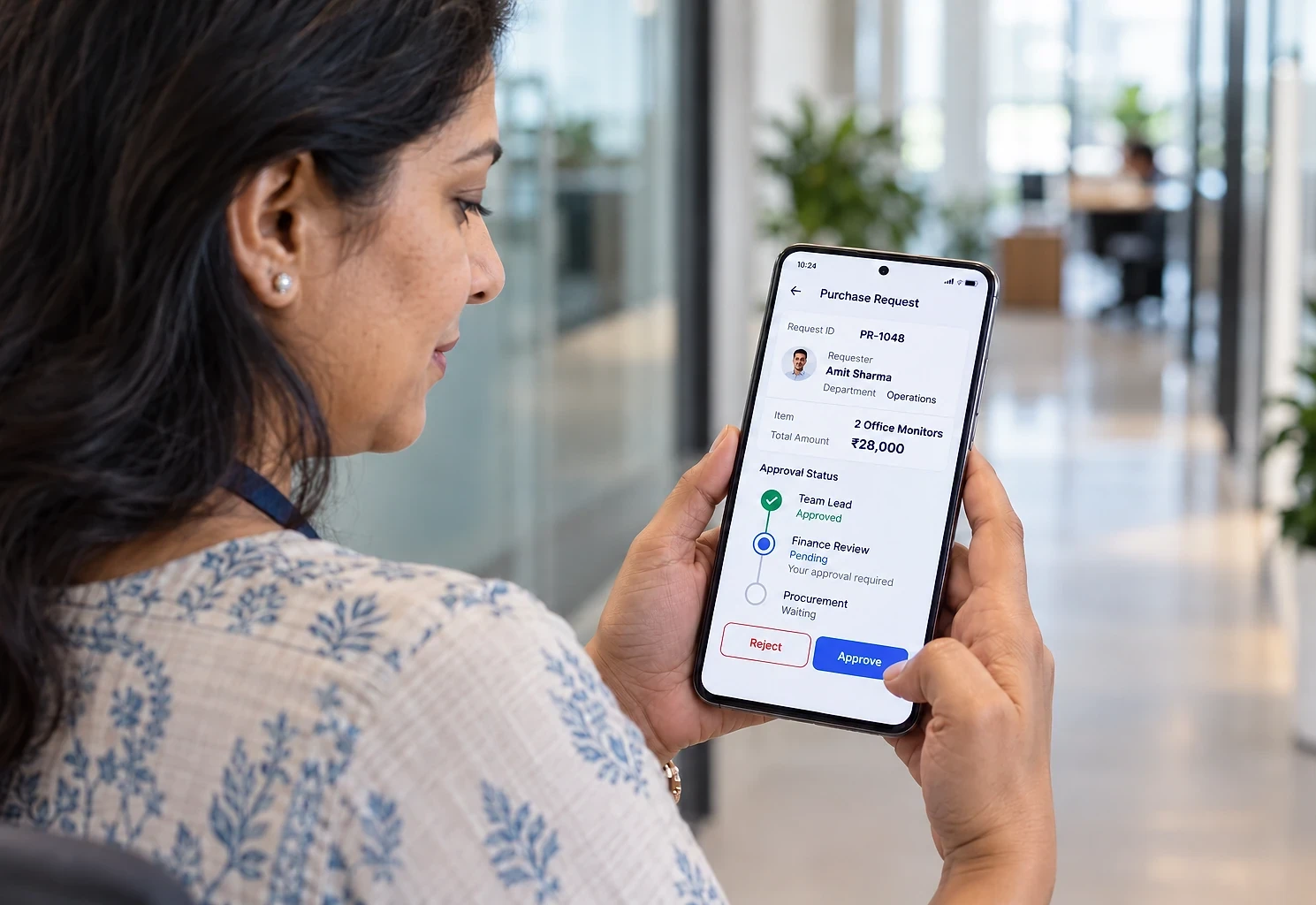
Purchase requests, discounts, expenses and document sign-off routed by rules, approved from a phone, escalated when they stall and recorded permanently.
- First module built in
- 4 to 6 weeks
- Approve from
- A phone, in a few taps
- Records
- Who approved what, and when
What this addresses
Approval by email works until volume rises or people travel, and then nobody can say where a request is or who authorised what.
- Requests are emailed and wait for someone to notice them
- When an approver is travelling, everything behind them stops
- Approval limits are remembered rather than enforced
- Urgent requests are approved verbally and documented later, or not at all
- Audits mean reconstructing decisions from email archives
Approvals are already built into the Employee and Vendor portals. Choose this when approvals span several departments.
How it is put together
Approval rules set up once: who approves what, at which value thresholds, in what order, and what happens if they do not respond. Requests route themselves, approvers act from a phone in a few taps, and every decision is recorded permanently.
What the system contains
Modules are delivered in phases, starting with the one that removes the most work. You own the finished system, code and data included.
- 01
Request forms
A form per request type with required fields, attachments and checks, so approvers receive complete information.
- 02
Routing and limits
Rules based on value, department, category or requester, in sequence or in parallel, with authority limits enforced so a request above someone's limit goes higher automatically.
- 03
Delegation
Temporary delegation during leave or travel, with a clear record of who acted on whose behalf.
- 04
Reminders and escalation
Automatic reminders and escalation when a request sits beyond a set period, so nothing stalls silently.
- 05
Approve from a phone
Approve or reject with the supporting information and attachments in view, because approvers are rarely at a desk.
- 06
Audit trail and reporting
A permanent record of every submission, comment, approval and rejection, plus time taken at each stage.
Who it suits, and how it adapts
Integration effort depends on what each system offers. We assess it before quoting.
Who this suits
- Businesses where purchase or expense approval is done over email
- Builders and contractors approving site purchases across projects
- Professional firms signing off fee discounts and write-offs
- Hospitals and schools with several departments raising requests
- Organisations that must evidence approvals for audit
What it can connect to
- ERP and accounting systems so approved requests create the matching record
- Email, WhatsApp or Microsoft Teams for notifications
- Microsoft 365 or Google Workspace sign-in
- HR records for reporting lines and leave
How it can be customised
- Any number of request types with their own forms and routing
- Value thresholds and authority matrix specific to your organisation
- Optional digital signature on approved documents
- Budget check before a request can be raised
- Regional language support for the request forms
From first call to first module
The first module is usually built in 4 to 6 weeks. Durations depend on scope, integration complexity and how quickly access and decisions are available.
- 0145 min
Free scoping call
Which requests need approval, by whom, at what thresholds, and what happens today when someone is unavailable.
- 023-5 days
Workflow specification
Forms, routing rules, limits, escalation timings and notifications agreed in writing.
- 034-6 weeks
Build and configure
System built with your rules held as settings rather than hard-coded, so they can be adjusted later.
- 042-3 weeks
Pilot one request type
Start with the highest-volume request type, prove it, then add the rest.
Approval Workflow System questions
Hosting, backups and updates after launch:
Cloud Hosting & SupportNot covered here?
Ask us directlyWe are getting an Employee or Vendor portal. Do we need this too?
Probably not at first. Both portals already include approvals for their own requests: leave and expenses in one, new vendors and invoices in the other. This system is for when approvals cross several departments and request types and need one set of rules.
Can approval rules be changed without a developer?
Approvers, thresholds, escalation timings and notification recipients are editable in an admin screen by authorised users. A new kind of routing that did not exist before needs development. We make that boundary clear during design.
What happens when an approver is on leave?
They can set a delegate for a date range, or an administrator can. The delegate approves within the original approver's limits and the record shows that they acted on their behalf.
Is this suitable for statutory or audit requirements?
The audit trail is designed for it: every action is recorded with user, time and the exact data at the moment of decision, and records cannot be edited afterwards. Whether that satisfies a specific standard depends on the standard, so we suggest confirming with your auditor during design.
Where is it hosted, and what does it cost to run?
On hosting in your name, which for an approval system is light. WhatsApp notifications, if used, carry per-message fees billed at cost. Updates and rule changes can be handled under our Cloud Hosting & Support service.
Around the approval workflow system
Often combined with

Which approval waits the longest?
Tell us the request type that stalls most often and who signs it off. We will start there, prove it, then add the rest one at a time.
The first conversation is free, with no obligation.