Stop reading and retyping the same documents every day
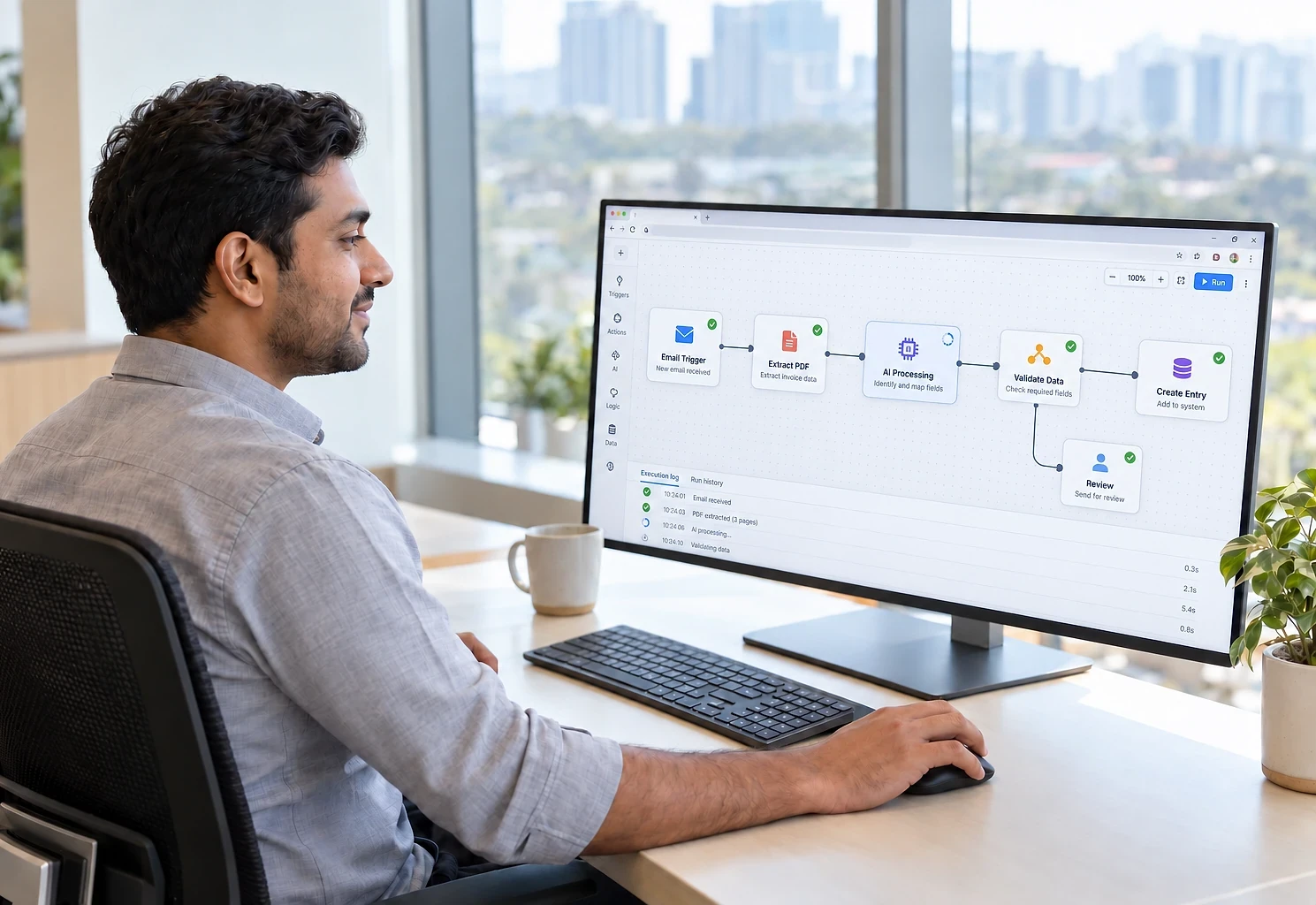
Purchase orders, invoices, delivery notes and enquiries arrive as email and PDFs. Automation reads them, extracts the fields, checks them against your data and creates the record.
- First module built in
- 3 to 5 weeks
- Reads
- PDFs, scans, Excel and email text
- Checks first
- Against your customer and product data
What this addresses
A surprising amount of skilled time goes into being a human bridge between an inbox and a system, and that predictable work can now be automated reliably.
- Order emails are opened and retyped into a system all day
- Each customer sends purchase orders in a different format
- Typing errors are discovered days later, when they are costly
- One person becomes the bottleneck for an entire process
How it is put together
A pipeline that watches a mailbox, sorts each message, extracts the fields from the body and attachments using a language model, checks them against your own data, and either creates the record automatically or sends it to a review screen when it is unsure. Everything is logged.
What the system contains
Modules are delivered in phases, starting with the one that removes the most work. You own the finished system, code and data included.
- 01
Mailbox watching
One or more mailboxes watched continuously, with messages sorted by sender, subject and content so only relevant ones enter the pipeline.
- 02
Reading documents
Fields extracted from email bodies, PDFs, Word files, spreadsheets and scans, without needing a fixed template for each sender.
- 03
Checks against your data
Values compared with your customer, product and price lists. Unknown codes, impossible quantities and mismatched prices are caught before anything is created.
- 04
Review screen
Uncertain items appear beside the original document with the extracted values filled in, so a person confirms in seconds rather than retyping.
- 05
Records, filing and monitoring
Confirmed records created in your order system or ERP, originals filed and acknowledged, and a dashboard of volume, exceptions and accuracy over time.
Who it suits, and how it adapts
Integration effort depends on what each system offers. We assess it before quoting.
Who this suits
- Distributors whose customers each use their own purchase order format
- Finance teams processing supplier invoices by hand
- Chartered accountants and consultants collecting client documents
- Insurance and travel agents handling forms and bookings by email
- Any business where a person spends hours a day transcribing documents
What it can connect to
- Gmail and Microsoft 365 mailboxes
- Order management, ERP and accounting systems
- Google Drive or SharePoint for filed documents
- WhatsApp Business where documents arrive that way
How it can be customised
- Fields specific to your documents and system
- Confidence thresholds you control per field
- Sender-specific handling for your highest-volume customers
- Documents in Hindi and other Indian languages
- Reply templates for acknowledgement or clarification
From first call to first module
The first module is usually built in 3 to 5 weeks. Durations depend on scope, integration complexity and how quickly access and decisions are available.
- 0145 min
Free scoping call
Which documents arrive, in what volume, and where they need to end up. We ask for a sample set, including the messy ones.
- 023-5 days
Accuracy test
Extraction is tested on your samples and measured, so you know the realistic straight-through rate before committing.
- 033-5 weeks
Build the pipeline
Extraction, checks, review screen and system connection built and tested.
- 041-2 weeks
Shadow run
The pipeline processes real documents without creating records, so its output can be compared with your team's.
- 05Ongoing
Widen gradually
Start with your highest-volume, most consistent senders, then widen once the results are trusted.
Email & Document Automation questions
Hosting, backups and updates after launch:
Cloud Hosting & SupportNot covered here?
Ask us directlyHow accurate is the extraction?
For clear digital PDFs and email text, accuracy on well-defined fields is typically high. Poor scans, handwriting and unusual layouts are harder. Rather than quote a number, we measure it on your own documents during the accuracy test and tell you the realistic straight-through rate before you commit.
What happens to documents it cannot read?
They go to the review screen with whatever was extracted and the original alongside. A person confirms or corrects in a few seconds. Nothing is silently dropped or guessed into your system.
Is our data sent to an external AI provider?
Document content is sent to the model provider for extraction, so this is a real consideration. We use providers whose business terms exclude training on your data, we can hide sensitive fields before sending, and for very sensitive content we can discuss self-hosted models. We will be explicit about the trade-offs.
What does it cost to run each month?
Two parts: hosting for the pipeline, and AI usage charged per document by the model provider, billed to you at cost. Usage is usually small next to the time it saves. We estimate it from your volume during scoping and set limits and alerts so it cannot grow unnoticed.
Can it handle documents in Hindi or other Indian languages?
Yes for typed documents in most major Indian languages. Handwritten regional-language documents are considerably harder, and we would test those specifically before promising anything.
Around the email & document automation

Send us twenty real documents
Share a sample of the emails and PDFs your team retypes, including the messy ones. We will test extraction on them and tell you the realistic straight-through rate before you commit.
The first conversation is free, with no obligation.