Leave, attendance and expenses without the HR inbox
Leave requests, attendance, salary slips, expense claims and document access, handled by staff themselves instead of through the HR person's inbox.
- First module built in
- 5 to 8 weeks
- Feeds
- Your existing payroll software
- Check-in by
- Phone, browser or biometric device
What this addresses
In most growing businesses, HR administration is one person plus several spreadsheets, and that person becomes the bottleneck.
- Leave requests arrive by email, WhatsApp and in person, and balances live in a spreadsheet
- Attendance is compiled by hand at month end for payroll
- Salary slips are emailed individually every month
- Expense claims go round on paper for signatures
- Nobody can quickly see who is on leave next week
How it is put together
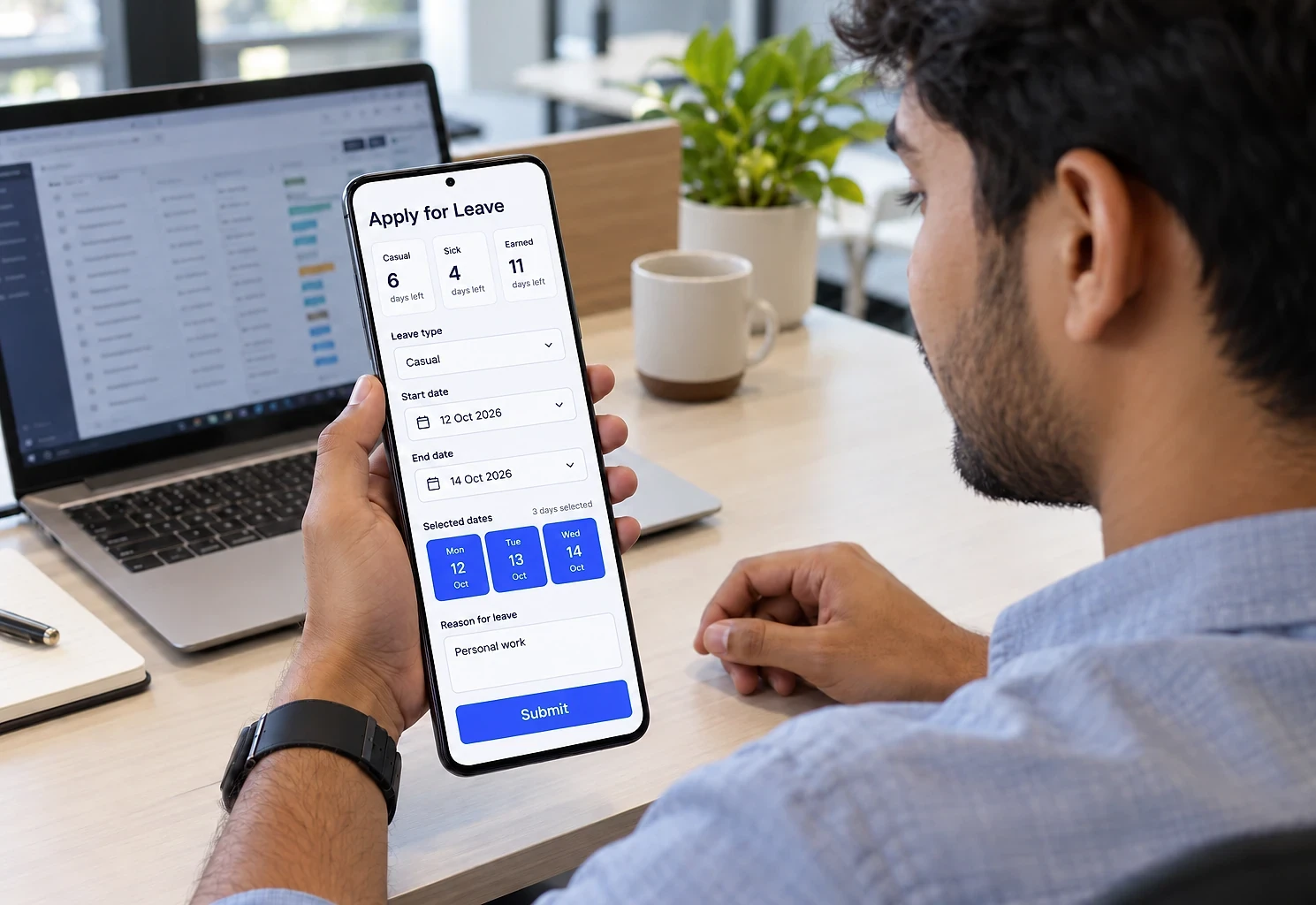
A portal where employees handle their own routine requests and see their own records, and managers approve from a phone. HR keeps oversight and reporting, and payroll receives clean data instead of assembling it.
What the system contains
Modules are delivered in phases, starting with the one that removes the most work. You own the finished system, code and data included.
- 01
Employee records
Personal details, employment history, reporting structure and emergency contacts, kept in one place with controlled access.
- 02
Attendance
Phone or browser check-in with optional location capture, shift handling, regularisation requests and a monthly summary ready for payroll.
- 03
Leave management
Leave types with their own accrual rules, balance calculation, apply-and-approve flow, and a team calendar showing planned absence.
- 04
Expense claims
Claims with receipt photos, category limits, manager approval and status visible through to reimbursement.
- 05
Payslips and documents
Salary slips, appointment letters, policies and certificates available to the right employee, with acknowledgement tracking where needed.
- 06
Onboarding and exit
Checklists for joining and leaving, with tasks assigned across departments and visible progress.
- 07
HR reports
Headcount, attendance summaries, leave taken, pending approvals and missing documents.
Who it suits, and how it adapts
Integration effort depends on what each system offers. We assess it before quoting.
Who this suits
- Growing businesses where HR administration has outgrown spreadsheets
- Hotels, restaurants and clinics running staff on shifts
- Companies with staff across several locations or sites
- Businesses with field employees who are rarely at a desk
- Companies whose payroll input is assembled by hand each month
What it can connect to
- Payroll software for attendance and leave data
- Biometric attendance devices
- Email and WhatsApp for approval notifications
- Accounting software for expense reimbursement
- Google Workspace or Microsoft 365 sign-in
How it can be customised
- Leave types and accrual rules matching your policy
- Shift patterns, week-offs and holiday calendars per location
- Approval hierarchy following your reporting structure
- Regional language support for staff who prefer it
- Location-checked or selfie attendance for field teams
From first call to first module
The first module is usually built in 5 to 8 weeks. Durations depend on scope, integration complexity and how quickly access and decisions are available.
- 0145 min
Free scoping call
Your leave policy, attendance rules, approval hierarchy and payroll cut-off, as they really operate.
- 023-5 days
Configuration design
Leave types, shifts, approval flows and role permissions specified and agreed.
- 035-8 weeks
Build and data import
System built and employee records, opening leave balances and documents imported.
- 043-4 weeks
Pilot and rollout
One department first, then everyone, with a short session per group.
Employee Management Portal questions
Hosting, backups and updates after launch:
Cloud Hosting & SupportNot covered here?
Ask us directlyDoes this replace our payroll software?
No. It produces clean, approved attendance and leave data and hands it to payroll. Payroll calculation, statutory deductions and filing stay with software built for that, which we connect to.
Can staff without smartphones use it?
Yes. It works in any browser, including on a shared computer, and biometric devices can feed attendance directly. Managers can also enter requests on behalf of employees who prefer not to.
How is attendance checked for field employees?
Options include location capture at check-in, a boundary around approved sites, or a photo at check-in. Each has trade-offs around privacy and practicality, which we discuss with you rather than defaulting to the most intrusive option.
Is employee data kept secure?
Access is role-based, so employees see only their own records, managers see their team and HR sees what their role requires. Sensitive documents have restricted access and every view or download is logged.
Where does the data live, and who keeps it running?
On cloud hosting in your company's name, with daily backups. We can keep it updated and monitored under our Cloud Hosting & Support service, including adding new leave types or locations as you grow.
Around the employee management portal
Services behind it
Often combined with

Take leave and attendance out of the HR inbox
Share your leave policy and how attendance reaches payroll today. We will suggest which module to start with and how it fits your current payroll.
The first conversation is free, with no obligation.